Most data transfer projects hit trouble, with 84% of system integration efforts partly failing and 85% of big data projects missing key goals in 2025 to 2026. If you’ve ever moved files between computers, synced data to the cloud, migrated a database, or sent records over a network, you know the stakes: one bad move can break apps, delay launches, or wipe out work.
In practice, common data transfer problems show up fast. You might see data loss from outages or errors, mismatches when formats or mappings don’t line up, and security risks when access controls or permissions get set wrong. Also, AI and big data workloads in 2026 mean you transfer more data more often, so small mistakes stack up.
The good news is that you can avoid data loss during transfer and reduce mismatches and security incidents with the right checks, testing, and governance, and that’s where this guide starts next.
How Data Loss and Corruption Sneak In During Transfers (And Simple Ways to Stop It)
Data loss during transfer doesn’t always look dramatic. Often, it hides in small failures that you do not notice until later. A network hiccup can interrupt a copy, a format change can alter meaning, or a permissions mix-up can block access. Even worse, silent corruption can “work” at first, then ruin analytics when you least expect it.
In 2026, these risks keep landing in real workloads. Cloud storage also concentrates failures, and more organizations report issues tied to cloud setup and access. That means your transfer steps matter, especially when you move large files, sync folders, or migrate databases.

Spotting the Signs of Trouble Early
The fastest way to stop data loss during transfer is to catch problems before the full job finishes. Think of it like tasting soup while it simmers. You do not wait until the whole pot cools down.
Start with previews and spot checks. Instead of assuming the copy is fine, verify a small sample end-to-end. Then confirm it matches at the byte level using a checksum or hash. If values change, you have a corruption signal even when the file “opens.”
Run checks that match the transfer method you use. For example, if you’re copying over a network share, validate files after the copy completes. If you’re moving from one system to another, validate both the data and the mapping.
Use this early detection rhythm:
- Preview the first batch: open sample files or run read-only exports before you move everything.
- Compare checksums (hashes): generate a hash on the source, then compare it on the destination.
- Spot-check counts and sizes: confirm the number of files and expected file sizes match.
- Detect encoding or format drift: verify CSV delimiter, date format, and character encoding stay consistent.
- Log and review transfer errors: pay attention to warnings, timeouts, and retry counts.
Silent corruption often looks like “minor weirdness.” A timestamp shifts, a column lands in the wrong place, or numeric fields become text. That’s how a dashboard can lie to you while still showing “real” data.
For background on common file transfer mistakes, see 7 ways file transfer can go wrong. For deeper detail on corruption drivers and fixes, review Data Corruption: 5 Potential Causes (And Solutions).
When you validate early, you prevent a bad transfer from turning into a bigger cleanup later. Most importantly, you prevent prevent data corruption problems from spreading into downstream systems.
Step-by-Step Backup and Recovery Plan
A solid plan beats heroics when something goes wrong. Even if your checks look good, backups and rollback options keep the damage small. This is how you stay calm when the transfer stalls, a source file changes mid-copy, or the destination rejects part of the dataset.
Start with a rule: backup first, then test, then transfer. Also, keep version history so you can restore the last known good state. If the transfer fails, you do not want a blank folder and a bad feeling.
Here’s a simple checklist you can follow each time:
- Run a full backup before the transfer
- Snapshot or export the exact source data.
- Store backups in a separate location (not the same machine you’re copying from).
- Use version control for datasets
- Label releases by date and source system.
- Keep old versions until you confirm analytics and apps work.
- Stage the transfer in a test environment
- Copy a small subset first.
- Validate file integrity and run a read test (not just “it opens”).
- Do integrity verification with hashes
- Generate hashes (like SHA-256) for source files.
- Compare destination hashes after each batch.
- For practical tools and approaches, check Fixity and checksums.
- Plan rollback before you start
- Decide what “undo” means (restore snapshot, repoint app, or re-run the last job).
- Keep the last good destination folder and never overwrite it.
- Automate post-transfer tests
- Confirm record counts, totals, and key fields.
- Validate schema (column names, data types, encoding).
- Run one small business report end-to-end to catch silent corruption.
For teams that want quick validation workflows, hashing tools can help. One option for bulk hash generation is File Hash Generator (BinaryMark). If you prefer a Windows Explorer workflow, HashCheck Shell Extension can simplify comparisons.
Most importantly, treat recovery like part of the transfer. When you build backups, versioning, and tests into the process, you reduce data loss during transfer to a manageable event, not a crisis.
Fixing Schema Mismatches and Format Clashes Before They Derail Your Project
Schema mismatch data transfer and format issues in database migration rarely fail loudly. Instead, they creep in during the mapping phase, then show up later as wrong totals, missing rows, or odd dates. That is why you fix field alignment early, before you run a full move.
Think of your schema like a set of highway lanes. If you mislabel an exit, the car still moves, but it ends up in the wrong city. In 2026, the stakes stay high too, because about 35% of cloud migrations in the US and worldwide face big problems like delays, extra costs, or rollbacks. Common triggers include schema mismatches, format issues, and messy transitions from legacy systems. In fact, data migrations can fail around 21% due to schema mismatch issues, and many legacy-to-cloud efforts still drag timelines.

So, what should you do first? Map every field like you mean it, then stress-test those mappings with real samples.
Mapping Your Data Fields Right the First Time
Start with the boring part: field alignment. Yet this is where schema mismatch data transfer problems usually begin. The fix is not a late “patch.” The fix is a clear mapping plan that covers name differences, data type changes, and format expectations.
Most teams get stuck on fields that look similar but mean different things. For example, a source system might store full_name, while the target expects first_name and last_name. On the surface, it seems simple. However, the moment you split names incorrectly, you break search, dedupe, and reporting.
Meanwhile, data type clashing causes quiet damage. A source column stored as text for zip codes might get treated as an integer downstream. As a result, leading zeros disappear. Dates tell the same story, too, because YYYY-MM-DD and MM/DD/YYYY can mean different things depending on the system.
Use this table as your quick “spot the clash” reference. It’s not a full schema, but it helps you catch the common format issues in database migration before they spread.
| Common mismatch | What it breaks | Typical symptom after transfer |
|---|---|---|
full_name vs first_name + last_name | Matching, personalization, search filters | Names look split wrong, dedupe fails |
| Text zip vs numeric zip | Leading zeros, country-specific formats | Zips turn shorter, users cannot locate records |
DECIMAL vs INTEGER | Money values rounding or truncation | Totals mismatch, invoices don’t reconcile |
DATETIME vs TIMESTAMP (timezone) | Time shifts across regions | Events appear hours off |
| CSV dates vs native date types | Parsing errors or default dates | Some rows show null or wrong day |
Different null rules ('' vs NULL) | Validation and calculations | Counts shift, aggregates change |
| Character encoding drift (UTF-8 vs others) | Accent and symbol loss | Names or notes lose characters |
Now, map with a process that you can repeat.
- Inventory source fields. Capture names, types, null rules, and sample values.
- Inventory target fields. Include constraints, max lengths, and required columns.
- Create a mapping matrix. For each target field, document the source field (or rule).
- Add conversion rules. If you transform a value, write the exact rule.
- Assign an owner for each mapping group. When one field fails, you know who fixes it.
Tools help, but manual checks still matter. Start by running small, read-only exports and comparing the samples you expect to transform. Then confirm the mapping on a “golden set” dataset, like 50 to 200 representative records.
If you want guidance on resolving incompatible mappings, review resolving incompatible schema mappings. For cross-database type conflicts, data type conflicts in migrations is a good reference while you build your conversion rules.
Finally, test conversions with automation when you can. For example, tools that manage the move often include mapping and validation flows, like EVComplete for migration management and ES1Complete for orchestration. Even if you don’t use them, the idea is the same: validate mapping logic before you scale it up.
Here’s the mindset that keeps projects on track: treat every mapping like a contract. If the source doesn’t match the target, write the translation rule now, not after launch.
Cleaning Up Poor Data Quality to Avoid Spreading Junk
If you transfer messy data, you usually don’t notice the harm right away. Then it shows up in reporting, billing, and AI results that look “mostly right.” In reality, you just moved data quality debt from one system to the next.
Poor data quality during transfer often spreads in three ways: duplicates inflate counts, incompletes break joins, and outdated info keeps old truth alive. Add AI workloads, and the problem gets worse because models learn patterns from what you give them. So, profile first, clean fast, and validate before and after you move anything.

The quick reality check: duplicates, incompletes, and outdated records
Start by naming the mess you’re seeing. Poor data quality transfer almost always includes at least one of these issues.
- Duplicates: Same person, same account, or same order gets repeated. Sometimes it’s exact, sometimes it’s fuzzy.
- Incompletes: Key fields are blank, or required values fail validation. Joins then drop rows silently.
- Outdated info: You keep old emails, stale addresses, or prior product states. That turns “history” into “current truth.”
Why do these spread? Because transfers copy what exists, not what you intended. In addition, many pipelines do not clean mid-flight. They just move the mess and hope downstream fixes it later.
Legacy environments make this common. Think of a 10-year-old CRM with multiple import runs, hand-edited spreadsheets, and inconsistent ID rules. Each import adds small drift, then dedupe rules get “tuned” over time until nobody remembers the original logic. As a result, you end up with duplicate customers and conflicting statuses that wreck migration mapping.
Also, don’t ignore stalling in AI projects. When data silos grow, teams build separate datasets, then try to “merge later.” That merge often pulls in duplicates and stale rows. So your model trains on mixed signals, then outputs shaky results.
Here’s the mindset shift: treat cleaning as part of the transfer, not a separate project that comes after.
Quick Tools and Tricks for Data Profiling
Data profiling should feel like a smoke alarm. You want it early, you want it clear, and you want to act fast. Luckily, several free or open tools can help you spot problems in minutes.
Pick one dataset slice first, not the full export. Then run profiling on that slice and on a second slice from a different source. If both slices show the same failure, you likely found a root cause.
These profiling checks usually catch the biggest transfer risks:
- Null and blank rates: Find columns with lots of missing values.
- Uniqueness: Identify candidate keys that should be unique but aren’t.
- Value distributions: Watch for sudden shifts in formats, ranges, or categories.
- String patterns: Detect messy casing, extra spaces, and weird punctuation.
- Date freshness: Compare timestamps to expected ranges.
To speed up the process, use open-source profiling tools such as:
- DataCleaner (open source data quality) for profiling patterns like missing values and character sets.
- ydata-profiling on GitHub to generate exploratory profiles for Pandas and Spark DataFrames.
- dedupe for fuzzy matching when duplicates don’t share identical keys.
If your transfer includes emails, documents, or acquisition files, consider classification for low-value or ROT content. For example, Expireon focuses on flagging ROT (redundant, obsolete, trivial), plus sensitive and system-generated items, which helps reduce junk moving forward. See Expireon AI Studio for an overview of how teams flag ROT and what needs review.
A fast cleaning checklist before you migrate anything
Use this checklist to remove duplicates data migration issues and stop junk from spreading:
- Profile first, then decide what to fix
- Look for high-null columns and low-uniqueness “keys.”
- Check whether date fields fall into expected ranges.
- Remove duplicates data migration targets
- Define match rules (exact and fuzzy).
- Pick a “golden record” rule (newest, most complete, or authoritative source).
- Patch incompletes before joins
- Normalize blanks to
NULL(or your target standard). - Rebuild keys where possible (for example, concatenating fields).
- Normalize blanks to
- Quarantine outdated records
- Flag rows past an acceptable age.
- Keep history, but do not treat it as current state.
- Validate before and after
- Compare row counts and key counts.
- Run a sample-based review, then rerun on a second sample.
- Stress-test with messy legacy samples
- Include rows from the worst source (the one with imports and manual edits).
- If it passes there, it usually passes elsewhere.
When you clean with intention, you stop “junk growth.” Instead of carrying duplicates and stale rows into the new system, you carry the facts you trust.
Bridging Compatibility Gaps Between Old and New Systems
Bridging compatibility gaps is where many data transfer plans quietly fall apart. You can have the right data, the right mapping, and still lose hours (or trust) when old systems and new platforms don’t agree on formats, APIs, or rules. In 2026, most US companies run hybrid cloud, meaning the transfer path crosses more boundaries than ever. That setup helps, but it also adds more chances for mismatch.
In short, system compatibility data transfer works best when you treat each interface like a handshake. If you skip the handshake, the deal looks fine until you try to use it.

Why legacy formats and APIs break transfers
Legacy formats often act like old keys. They can open a door, but not the one you built for the new lock. For example, an old mainframe export might use fixed-width fields, EBCDIC-like encoding, or nonstandard date rules. Then your modern pipeline reads it as CSV, guesses types, and creates subtle errors.
APIs add a different flavor of pain. A legacy API might require different auth flows, offer limited query filters, or behave inconsistently during load. Meanwhile, modern cloud services expect JSON with strict schemas, clean headers, and predictable pagination. When those assumptions clash, you get silent fails, partial pulls, or duplicate writes.
Also, SQL dialect differences can wreck the best mapping work. One system treats empty strings as NULL, while another doesn’t. Timezones might apply only in one layer. Even numeric types can differ, so the same value rounds differently. These issues show up as “almost right” data, which is the hardest kind to spot.
If you want more context on common legacy-to-cloud migration issues, see Legacy to Cloud Migration Guide 2026 USA – KSoft Technologies. For a practical view on cloud migration friction, Common Legacy System Cloud Migration Issues Explained – DEV Community covers the kinds of failures teams run into before go-live.
How undocumented logic causes silent mismatches
Undocumented logic is the hidden script behind many transfers. You might think you’re moving “raw” customer data, but the source system also applies business rules during export. Perhaps it recalculates balances, clamps status values, or filters out rows based on a job schedule. When you rebuild that pipeline in the cloud without the same hidden steps, the numbers still look plausible, but they don’t match.
Consider this common example: a legacy app stores a flag as 0/1. The app then treats 1 as active only after a nightly job. If you transfer the table directly and skip the job logic, your cloud view will mark too many accounts active. Nothing crashes, and dashboards even load. However, reporting drifts from day one.
To handle this, you need more than field mapping. You need behavior mapping. Ask: what does the system do before it hands data out? Then capture it with tests, not guesses. In multi-source setups, this gets harder because one system may “normalize” values while another keeps them raw.
A good approach looks like this:
- Identify each system’s “source of truth” moments (export time, API read time, batch job time).
- Run side-by-side output comparisons on small slices, not only full loads.
- Record rule exceptions (what gets filtered, capped, or recomputed).
- Match error handling behavior (what happens when data is missing or invalid).
In short, treat undocumented logic like a missing gear. You can’t see it turning, but the whole machine fails when it’s gone.
If your transfer “works” but results drift, you probably missed behavior, not data.
Pre-testing compatibility before you scale
Pre-testing is where you turn compatibility data transfer from hope into proof. Instead of pushing full datasets, run a compatibility test that mirrors real traffic and real formats. In hybrid cloud, also test the network path, because latency and timeouts often change outcomes.
Start with a small set that represents your worst cases. Include records with edge values, odd dates, special characters, and long text fields. Also include “messy” rows from legacy imports, because those often trigger conversion logic you did not expect.
Then verify three layers:
- Input compatibility (file encoding, delimiter rules, numeric formats, date formats).
- Transformation compatibility (type casting, timezone handling, NULL mapping, rounding).
- Output compatibility (constraints, schema expectations, dedupe keys, required fields).
If you use converters, you still need pre-tests. Converters help when legacy-to-modern differences are repeatable, but they cannot fix unknown business rules. However, converters can save time when you hit common format and API gaps.
For example, many teams use migration converters built for cross-platform issues. Tools like PSTComplete (for Outlook/Exchange mail and related structure) show how specialized conversion can reduce surprises when old formats do not match the new target. The key is to pair the converter with validation checks, so you confirm correctness, not just successful imports.
Converters and translation layers that reduce data loss
Translation layers work like interpreters at a meeting. They convert language, but they also help you confirm meaning. In system compatibility data transfer, a well-built converter or translation service turns legacy structures into the target format the new system expects.
You usually see translation layers in three places:
- File format conversion (fixed-width to CSV, encoding normalization, date rewrite).
- API translation (auth and request shaping, pagination normalization, retry rules).
- Schema and type casting (mapping field types, handling NULL rules, enforcing length limits).
When you add these layers early, you reduce data loss in two ways. First, you prevent “wrong-but-readable” data from landing in the destination. Second, you catch incompatible records before they get committed.
That matters even more in hybrid setups. Your transfers might hop between on-prem, private networks, and multiple cloud services. If each hop treats types differently, the same value can change as it moves. A translation layer keeps the rules consistent.
For throughput concerns across boundaries, you may also find useful context in Data Throughput Across Legacy and Cloud Boundaries – IN-COM DATA SYSTEMS. Even when your main issue is compatibility, it often ties directly to how often you retry, chunk, and commit data.
The best result is simple: fewer surprises, fewer rollbacks, and cleaner data once you cut over. Most importantly, you stop treating compatibility failures like random glitches. You handle them like a known engineering problem.
Beating Performance Slowdowns, Downtime, and Network Glitches
When transfers get slow, downtime often follows. In multi-cloud and real-time pipelines, a small network glitch can cause partial fails, retries, and stalled jobs. Then you feel it as growing queues, higher egress costs, and delayed releases. Your goal is simple: stop performance bottlenecks in data transfer before they snowball into outages.
Phased Transfer Strategies That Keep Things Running
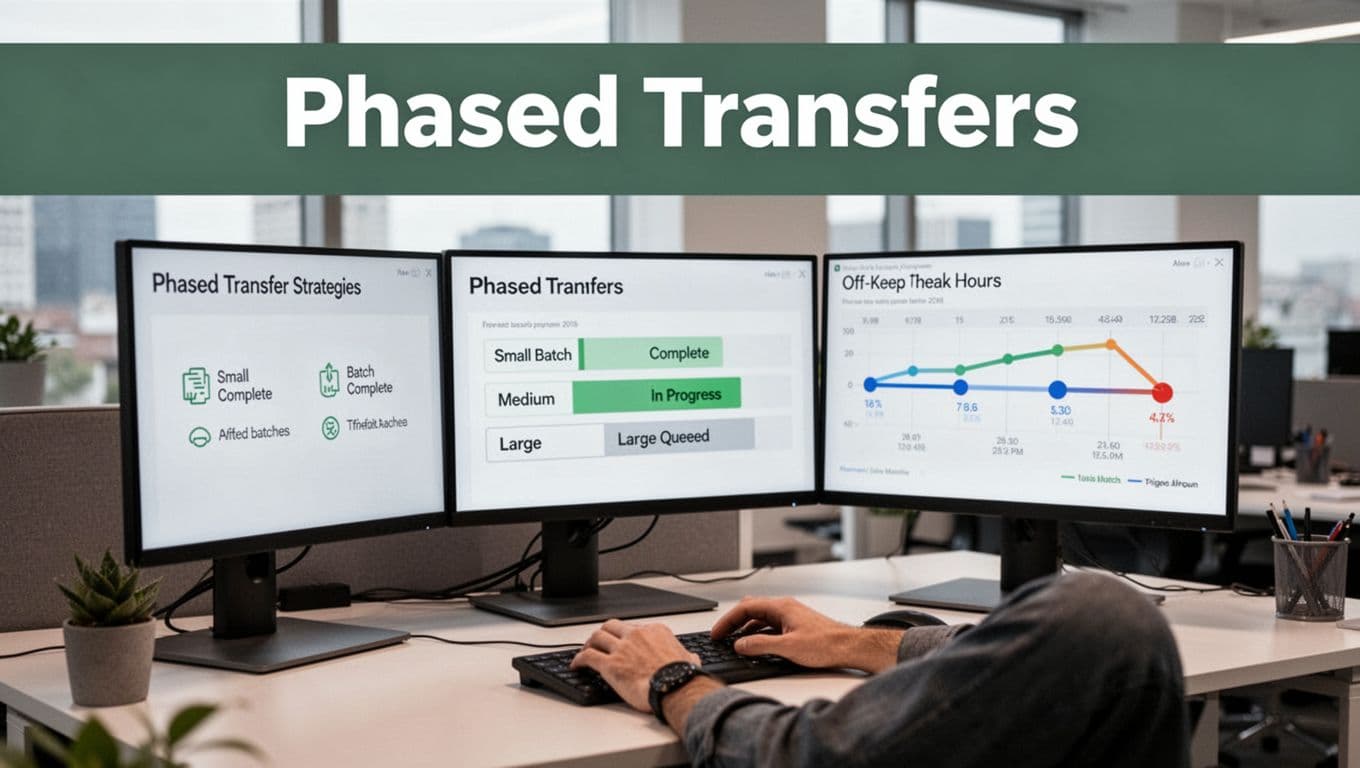
Phased transfer strategies break the job into smaller moves, so one problem never blocks everything. Think of it like moving furniture room by room, not all at once. First, you reduce risk. Next, you collect performance data. Then you scale with confidence.
A practical plan usually mixes batching and scheduling:
- Batching small to large: Start with a small slice that matches your real data mix. Then increase batch size after you see stable throughput.
- Scheduling off-peak windows: Schedule heavy copy jobs when traffic is low, especially across clouds or WAN links.
- Staging cutovers: Switch only one app, one dataset, or one region at a time, not the entire stack.
Here’s a timeline example you can copy for an avoid downtime database migration plan:
- Week 1 (daytime): Transfer a pilot batch (for example, 1% of tables or a single event stream).
- Week 2 (off-peak): Move the next tier (10% to 20%) and run end-to-end checks, including counts and key queries.
- Week 3 (off-peak): Run the bulk transfer with the job capped to a safe concurrency level.
- Week 4 (after-hours cutover): Flip reads, then writes, only after validation passes.
Use measurements to decide when to scale. Monitor transfer duration, error rate, queue depth, and retry frequency. If you rely on Oracle-like performance behaviors, you can also reference guidance on tuning and transport behavior in high-availability setups, such as Data Guard performance observations.
If you need a model for phased moves in real life, Oracle also documents migrating business critical applications using a phased strategy. The key idea stays the same: you earn the right to scale by proving stability first.
Handling Network Drops with Smart Retries
Network drops feel random, but you can manage them with smart retry logic. The trick is to retry in a way that preserves correctness, not just speed. Otherwise, you risk partial data, duplicates, or missing records.
Start by defining retry rules that match your failure type:
- Retry only what failed: Keep chunk-level progress markers. If a chunk fails, resume that chunk, not the whole job.
- Use backoff, not spam: Add delays between retries. Backoff prevents load spikes when links recover.
- Set timeouts that fit your pipeline: Too short triggers retries. Too long increases downtime.
- Limit retry storms: Cap retries per batch, then escalate to human review.
Then pair retries with idempotency. If the transfer can run twice, make sure the destination either overwrites safely or dedupes using a key. That one rule prevents “retry caused the issue” stories.
For systems that depend on redo or transport-like mechanisms, Oracle’s HA materials highlight how transport performance depends on the primary, standby, network, and I/O, and how tuning can reduce failure impact. See Redo transport troubleshooting and tuning.
Finally, monitor the retry pattern. If retries climb week over week, don’t just tune retry counts. Investigate latency, packet loss, or overloaded gateways. In real-time pipelines, those signals often predict downtime database migration problems before users notice.
Securing Your Data and Staying Compliant on the Move
When data moves, the risk moves too. One weak link in transit can turn into a serious security risks data transfer problem, especially with cloud sync and AI-driven workloads. In 2026, breaches still average about $4.44 million globally, and US costs can reach around $9.36 million. That price tag climbs fast when personal data crosses borders and compliance slips.
Think of a transfer like shipping a valuable package. Encryption is the tamper-proof seal. Compliance is the paperwork that keeps the shipment legal, trackable, and auditable. When either piece fails, the delivery goes sideways.

Why unencrypted transit causes real losses
Most leaks happen when data travels without strong protection. If you send data over the network in plain form, attackers can intercept it, read it, or copy it quietly.
Common failure patterns look like this:
- Old TLS settings or weak cipher suites that some clients reject or downgrade.
- Misconfigured connectors that fall back to non-encrypted routes.
- Public links created for convenience, then forgotten.
- Internal traffic assumptions that ignore lateral movement.
Bad news, leaks get more likely during rushed AI rollouts. More teams move more data, more often, and under tighter timelines. As that pressure rises, “temporary” transfer settings tend to stick around.
Also, outages do not just lose data. They can expose it. For example, when systems fail over, some tools retry with different routes. If you do not enforce encryption policies, retries may bypass your intended controls.
So, treat unencrypted transit as a top cause, not a rare edge case.
Encryption basics you can apply to transfers today
You do not need a security thesis to get better. You need a few strong habits, applied end to end. For practical reference, use Microsoft’s data encryption best practices to align with common cloud controls and settings.
Here are the encryption basics that matter for transfers:
- Encrypt in transit: Use TLS for network traffic, and reject insecure protocols.
- Protect endpoints: Ensure your source and destination systems enforce encryption, not just the pipe.
- Rotate keys: Use managed keys where possible, rotate on schedule, and restrict access.
- Use strong verification: Validate certificates and hostnames to prevent man-in-the-middle risks.
- Enable encryption for backups and exports: Transfers often include “temporary” archives.
- Log encryption failures: If encryption negotiation fails, fail the transfer, not “continue.”
If you want a simple sanity check, ask: does the destination store only encrypted payloads until it needs plaintext? That question catches a lot of loose setups.
For a broader list of transport encryption practices, you can also review encrypting data in transit best practices.
Compliance during cloud sync and cross-border moves
Security is only half the story. Compliance during cloud sync matters because personal data rules follow the data. When GDPR-like obligations apply, you need lawful transfer mechanics, clear risk controls, and proof you did your homework.
Cross-border issues often show up during routine syncs. For instance, a team syncs a folder with customer records to a US-based cloud bucket, then forgets that the source audience includes EU residents. After that, the transfer becomes both a security issue and a compliance issue.
In Europe-to-US cases, you should understand the EU-US data transfers framework and the role of transfer safeguards. A clear starting point is the European Commission overview of EU-US data transfers.
Also, make sure your process answers these questions before you move anything again:
- Where does the data land? Region and country of storage, not just “in the cloud.”
- Who can access it? Role-based access, least privilege, and audit logs.
- What transfer rule applies? The right mechanism for the data type and locations.
- Can you prove it? Evidence from configs, logs, and change history.
One more gotcha: compliance controls fail silently if teams use shared drives, personal accounts, or unmanaged third-party connectors. Keep your sync paths narrow and governed.
A quick pre-check to prevent “move now, fix later” mistakes
Before you start a transfer, run a short pre-check that blocks bad setups. This step takes minutes, but it prevents big losses when a job goes wrong.
Use this mini routine:
- Verify encryption: Confirm TLS is required, and insecure fallbacks are disabled.
- Scan access paths: Check who has read access and whether service accounts stay locked down.
- Validate data type: Identify whether personal data is involved, then apply the right transfer rule.
- Check regions: Confirm storage location matches your compliance plan.
- Review logs: Ensure you will capture enough events to investigate issues later.
One rule makes this all easier: treat transfer configuration like production code. If you would not ship it unreviewed, do not sync it unreviewed.
Ditching Manual Errors with Smart Planning and Automation
Manual data transfers feel simple at first. You copy files, you move rows, you hit go. Then one missing step, one typo, or one forgotten permission quietly turns into data loss or bad data.
Here’s the hard truth most teams learn late: many transfer failures trace back to no backups, no stakeholder input, and sloppy planning. When you rely on people doing repetitive steps, mistakes triple in time, not in effort. Automation and smart planning fix that by making the process repeatable, reviewable, and testable.

Start with a plan you can follow even on a stressful day. Then add automation for the parts that humans should not touch twice.
Building a Foolproof Transfer Checklist
Think of a transfer checklist like a seatbelt. You might not need it every trip, but it matters when something goes wrong. The goal is to cover the full cycle, from prep to validation, so errors get caught while they are still small.
Use this checklist as your working plan. Adjust it to your stack, but keep the order.
1) Prep the transfer (before anyone runs anything)
First, lock down the source and target scope. If you skip this, you copy the wrong dataset, or you overwrite more than you meant to.
- Confirm what “done” means: Define the exact tables, folders, or streams in scope. Write down any exclusions.
- Get stakeholder input early: Ask the owners of reporting, security, and app teams to review expected outcomes. This prevents “surprise changes” during cutover.
- Freeze the inputs: Plan for a stable snapshot or read-only window. If the source changes while you copy, validation gets messy.
- Identify sensitive data: Mark personal data, secrets, and regulated fields so you can apply stricter handling.
Most teams also forget backups here. Put it on the checklist, not in someone’s head.
2) Create backups and rollback points (so you can undo mistakes)
Backups are your safety net, not your “nice to have.” In many real incidents, transfers fail because people have no clean restore path.
- Create a full backup or snapshot of the source.
- Create a backup of the destination (or a restore point) when it already has data.
- Decide rollback rules before transfer: Will you restore, repoint, or rerun the job?
- Never overwrite the last known good: Keep a “golden” destination folder or schema.
3) Automate the repeatable steps (reduce human touch points)
Automation should cover the boring parts that humans do slowly and inconsistently. In 2026, teams increasingly use tools like Airbyte, AWS DMS, and NiFi to move data with less manual work.
However, automation only helps if you still validate results.
- Use a repeatable workflow for extract, transform, and load.
- Parameterize runs (dataset name, date range, environment) so you do not hand-edit configs.
- Track job versions so you can trace what changed between runs.
- Run in staging first with the same settings you’ll use in production.
For a practical planning angle, review what a data migration plan should include.
4) Validate during transfer (catch issues while you can still stop)
Waiting until the end invites silent corruption. Instead, validate small slices as you go.
Do these checks right after each batch or after each chunk.
- Record counts and totals: Compare source vs destination counts, not just “files copied.”
- Key integrity checks: Verify primary keys, foreign keys, or join keys exist and match.
- Format checks: Confirm date formats, encoding (like UTF-8), and numeric types.
- Schema checks: Ensure expected columns and data types appear in the right place.
If you use checksums, you add a stronger signal. A checksum mismatch often reveals partial copies or corruption even when the data “looks fine.”
For a deeper view on validation patterns, use guidance like fixity and checksums for integrity checking.
5) Validate after transfer (prove correctness end-to-end)
After the job finishes, you still need proof. This is where many “successful” transfers fail, because they moved data, not meaning.
Run end-to-end checks that match real use cases.
- Schema and constraint verification: Required fields, length limits, and null rules.
- Business logic checks: Recompute a few totals and compare to source results.
- Spot review on a golden set: Pull 50 to 200 real records that represent edge cases.
- Reconciliation report: Confirm row counts, unique keys, and aggregates match expected ranges.
If you can, automate this too. The more you automate validation, the less you depend on memory during cutover.
6) Monitor and lock down (prevent drift after you cut over)
Monitoring prevents “it was fine” from turning into “it broke later.” After transfer, keep eyes on the system.
- Watch error logs and retry counts for spikes.
- Confirm access controls and permissions for the new data location.
- Verify encryption in transit and at rest if your transfer uses cloud sync.
- Run a post-cutover health check after a few hours and after the first full business cycle.
This is also the time to document what you learned. That documentation becomes next quarter’s speed, not next year’s firefight.
Finally, if you want a tool shortlist to support your automation plan, scan options in a data migration tools guide for 2026. Then pick tools based on what you can validate, not what you can demo in a webinar.
Conclusion
Data transfer problems usually follow the same pattern: something breaks integrity, something changes meaning, or someone misses a safety control. When that happens, you see data loss, schema mismatch errors, duplicate junk, and security gaps, often after the transfer “finishes” and nobody notices until reporting or apps fail. The strongest takeaway is simple: verify end-to-end with checks (counts, formats, and checksums) before you scale up.
You also reduce failures when you plan for compatibility, not just copying. That means testing old formats and APIs with real edge data, using clear mapping rules, and applying smart retry logic so a network drop does not create partial or duplicate writes. On top of that, lock down encryption and access controls so data stays protected while it moves, and keep rollback points ready so mistakes do not turn into long downtime.
In 2026, automation matters because it removes the biggest source of transfer risk, manual steps. Use repeatable pipelines for extract, transform, load, plus automated validation both during and after the job. This saves time and money because fewer transfers need rework, fewer teams get pulled into fire drills, and audit trails become easier to prove.
Audit your next data transfer with this checklist: confirm scope, run a small pilot, validate with checksums, test schema mappings, and automate reconciliation.
What’s the one failure you can prevent next time, data corruption, wrong field mapping, or insecure transit?